Use the free tools
You want to check timing, shape an opening, plan shots or prepare a caption without an account. Copy or download your work before leaving.
Choose a free toolInside the actual app
See the script workspace and publishing handoff, then choose an example you can make your own.
01 / Prepare your words
Select a script or paste your own, adjust the reading pace, and rehearse before enabling the camera. The actual owner workspace below contains a first-camper script.
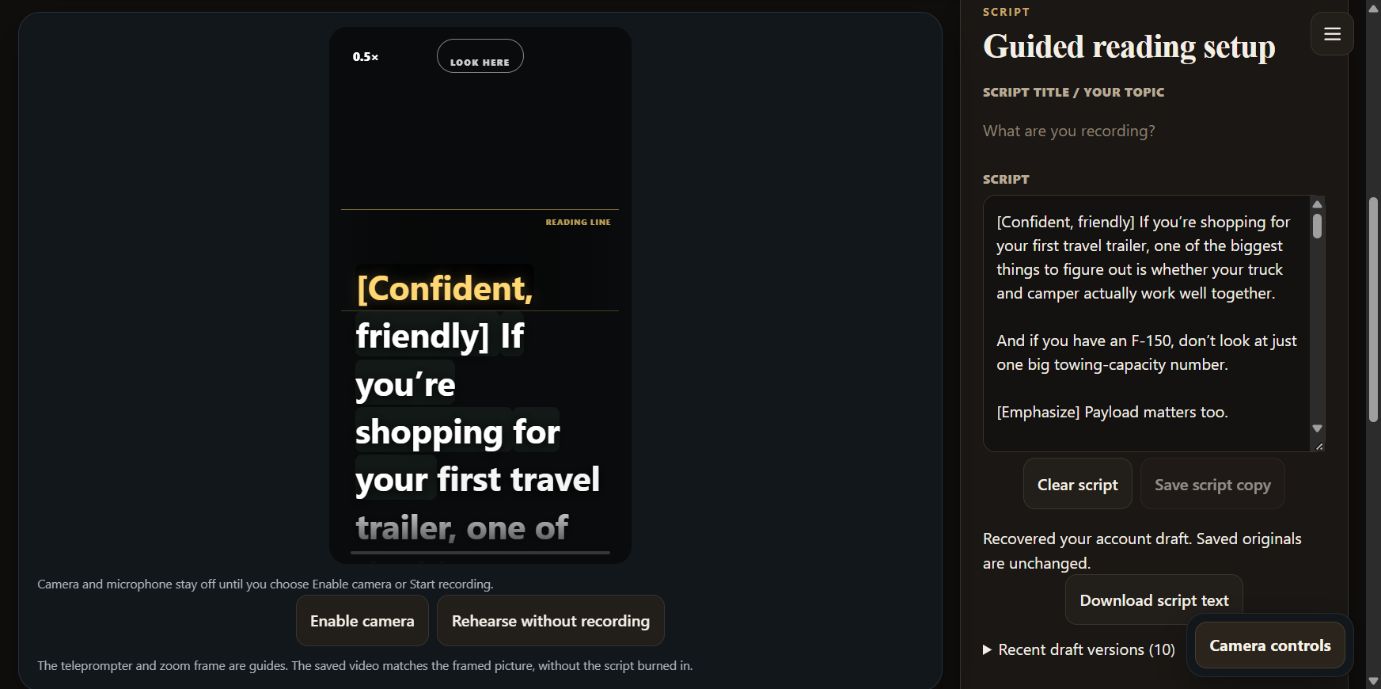
Start with a short script. Read it aloud once. Change the words that do not sound like you before recording.
Use available script selection to move between topics. Wait for the draft-save confirmation before switching; keep chosen video files separately on your device.
02 / Prepare the handoff
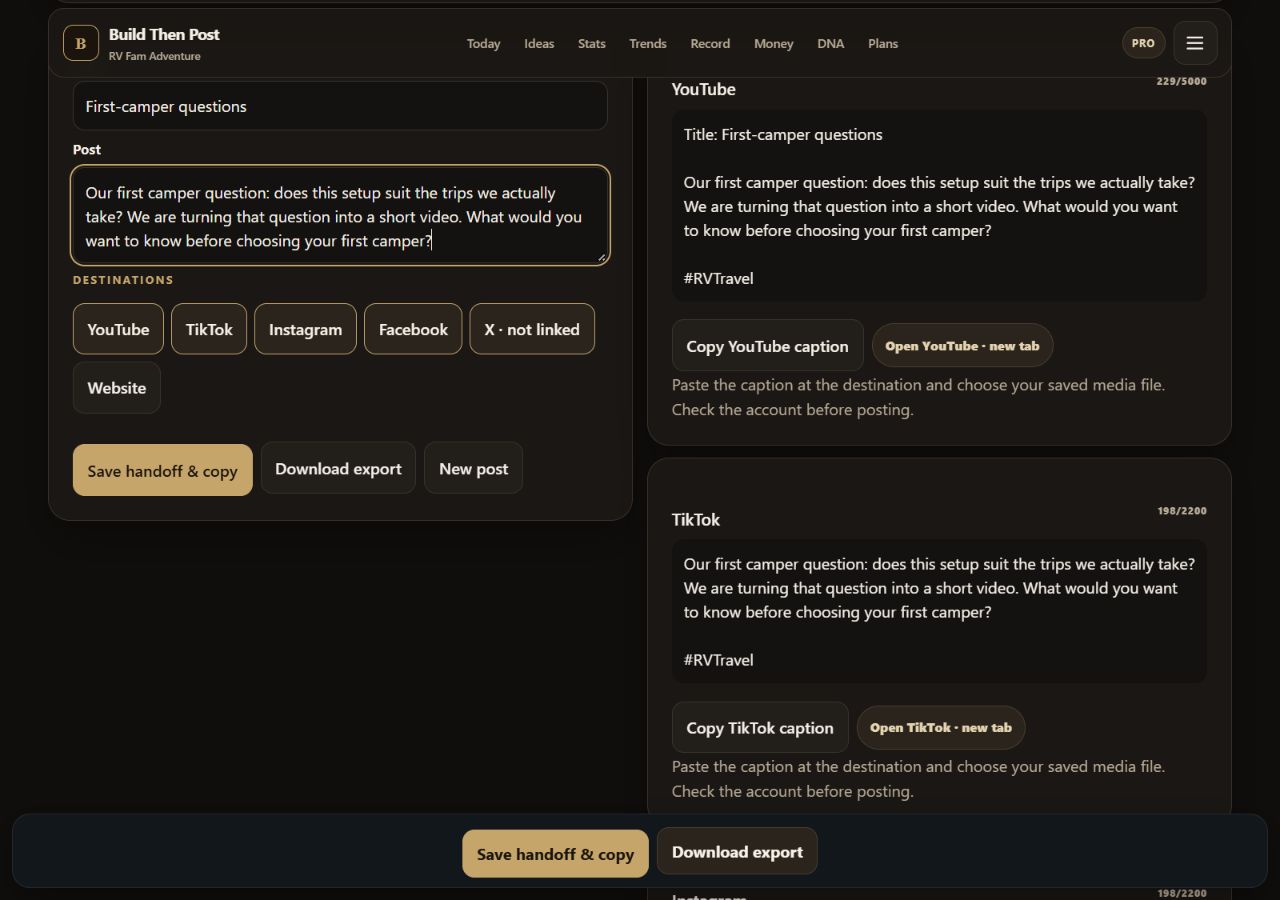
Enter a title and post text. The app prepares destination-specific caption cards with copy buttons and links to the platform. You choose your saved video and complete the upload there.
Choose something you could make today
These are adaptable working examples, not customer results. Download a pack with a script, shot list, caption and review checklist.
The starting point: “What do we wish we had asked before choosing our first camper?”
Before we picked a camper, we had one question: would it suit the trips we actually wanted to take? Start with the kind of trip you want to make. Then write down the questions you still need answered about your own setup. What would you want to know before choosing your first camper?
Our first camper question: does this setup suit the trips we actually take? We are turning that question into a short video. What would you want to know before choosing your first camper?
The Studio screenshot shows an existing owner draft. This shorter adaptation and the unsaved publishing preview are separate examples. Check any vehicle-specific advice with the appropriate manuals and a qualified professional.
Scenario: an illustrative repair shop explains how to prepare an enquiry. Replace this process with your business’s actual requirements before using it.
Want to make your repair enquiry easier to explain? Write down the item’s model and what you noticed when the problem started. A clear photo can help show what you mean. Before sending anything, check what the shop asks for and remove personal information from your photos. One clear question is a useful place to start.
A useful enquiry starts with a clear description. Check our contact instructions before sending your question, and keep personal details out of any photos.
Check your script’s timing · Build your shot list · Refine your caption
Pick the right starting point
You want to check timing, shape an opening, plan shots or prepare a caption without an account. Copy or download your work before leaving.
Choose a free toolYou want saved scripts, camera-free rehearsal, recording controls and a manual publishing kit in your account. Save each chosen recording file on your device.
Open your workspacePaid subscriptions are not on sale yet. See current access and future plans →
Captured from the signed-in live app on September 27, 2026. The existing Studio draft was not edited. The publishing sample was entered in an unsaved form; no account record or social post was created. No camera or microphone was enabled. The PRO badge is a development feature flag, not evidence of a purchased subscription.